.svg)


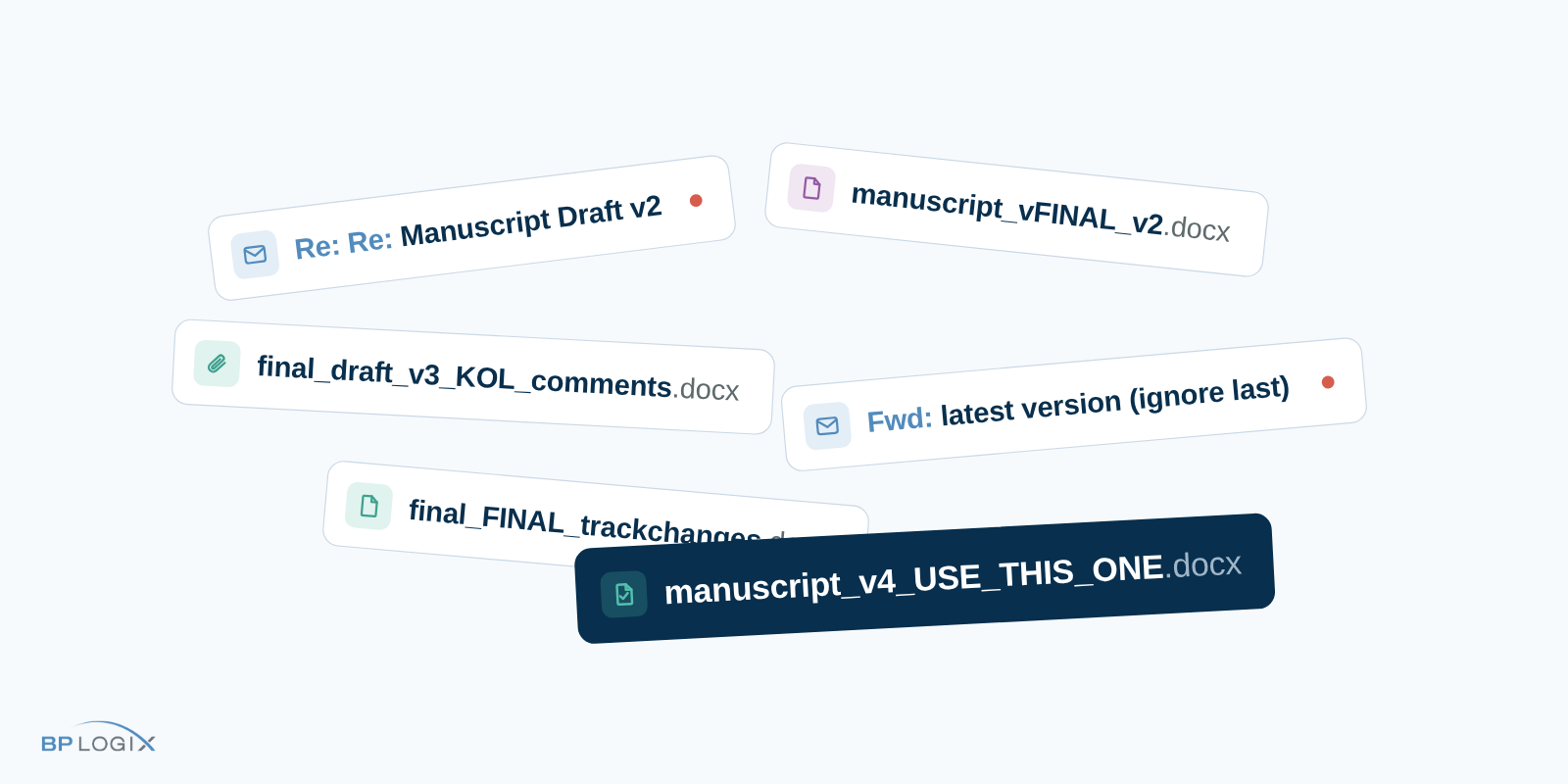
An investigator just submitted a promising IIS concept in a therapeutic area your organization cares about. What happens to it in the next 90 days depends on whether the right people see the right email at the right time. That is a fragile way to run a regulated process. And it is carrying more weight every year: new investigator-initiated studies are up 63% since 2020.
Automating IIS review is three phases of work across a single quarter: map your process, configure and test the workflow, then go live and prove it holds up to an audit. The exact timeline depends on the complexity of your SOP, but the sequence is what makes it work.
I've written before about why email fails as infrastructure for IIS approvals and how IT dependency creates process debt. This post covers what to actually do about it, phase by phase.
Weeks 1–3: Map the process and define the data
Everything downstream depends on this phase, and none of it requires software.
Document your review process as it actually runs, including the exceptions. Which concepts need legal review? At what budget threshold does an additional approver come in? Which therapeutic areas route to which reviewers? Your team already knows these answers. The work is capturing them explicitly, because unwritten rules cannot be automated.
At the same time, define what a complete submission looks like: objectives, endpoints, budget, timeline, investigator credentials, institution, IRB status. This list does double duty. It becomes your intake form, and it feeds your routing rules. A rule like "budgets above this threshold add this approver" only works if budget is a structured field the system can read. Designing the data and the rules together, on paper, is what prevents rework later.
Finish the phase by taking inventory of where IIS concepts currently arrive. Most teams find three or four entry points: a shared mailbox, individual inboxes, a web form that feeds a spreadsheet, the occasional hallway conversation with a field medical colleague. You'll close them all at once at go-live, so know them now.
Weeks 4–8: Configure the workflow and test it
The intake form and the routing logic are one workflow, so you build them together.
Translate each documented rule into routing logic: submissions in this therapeutic area go to this review committee, budgets above this threshold add this approver, incomplete submissions return to the investigator with a specific list of gaps. Because the configuration is no-code, the person doing this translation is the person who owns the process. Nothing gets lost between a requirements document and a developer's interpretation.
Two design details matter more than teams expect. First, assign ownership at every step. Passive delays happen when a concept sits in a queue that belongs to everyone and no one. Every stage should have a named owner and a visible clock. Second, build escalation rules now, while you're configuring. If a reviewer hasn't acted within your SOP's window, the system notifies a backup or escalates automatically. In email, escalation means adding people to the CC line. In a workflow system, it means the process keeps moving.
This is also where AI earns its place. When we designed Approvia AI's Research Concept Triage capability, we anchored it to one principle: shift human effort from extraction to validation. The agent reads submitted proposals, whether they arrive as PDFs, Word documents, or slide decks, then extracts the key fields, populates the form, generates a summary with source citations, and flags missing IRB information or timeline inconsistencies before anything reaches a reviewer. It also detects likely duplicate submissions. Your coordinator confirms rather than re-keys, and every AI action lands in the audit log.
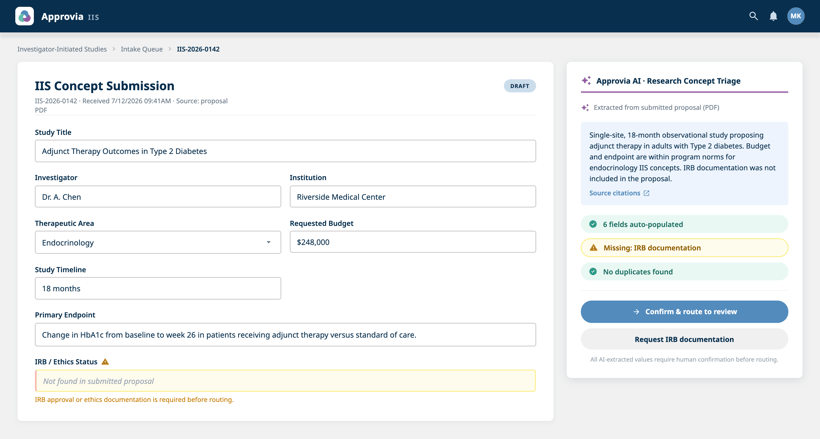
Close the phase with structured testing. Run recent real submissions through the configured workflow and let your actual reviewers work them. Every gap you find here is one you won't find in production.
Weeks 9–12: Go live and prove audit-readiness
Set a cutover date, tell investigators where to submit, and hold the line. A single intake channel gives you something you have never had before: one complete, real-time picture of your concept pipeline.
Stand up dashboards for the people who need them. Coordinators see every active concept and its current owner. Reviewers see their queue. Leadership sees cycle times and bottlenecks. When a stage consistently runs slow, the data shows you where, and you can adjust the workflow the same week rather than waiting for the next system release.
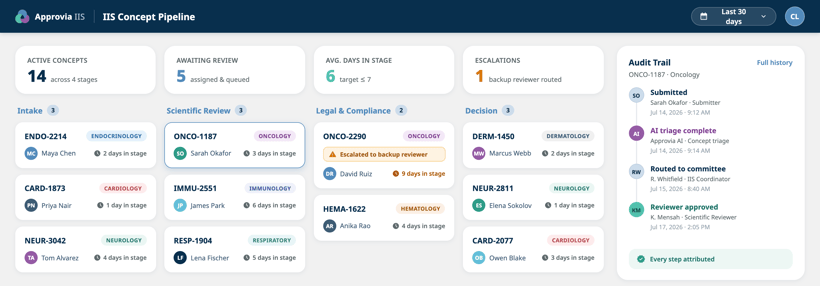
Then run the test that matters: a mock audit. Pick one concept and generate its complete decision history, including who approved what, when, in what sequence, and against which document version. If that takes minutes, you have achieved something structural. Audit-readiness stopped being a scramble you perform and became a property of the system. That is what I mean when I say audit-readiness is a design choice.
Use whatever the mock audit surfaces to refine the workflow, and schedule a recurring review so the process keeps pace with your SOPs.
What changes after day 90
The mechanical wins arrive first: submissions stop going missing, reviewers stop working from stale versions, and coordinators spend their time on scientific coordination instead of status archaeology.
The structural win takes longer to appreciate. Your team now owns its own process. When regulatory guidance shifts or your review structure evolves, Medical Affairs updates the workflow directly and the change takes effect immediately, fully documented. The gap between how work should be done and how your systems allow it to be done stops growing.
Find out where your process stands
Before you start your own 90 days, it helps to know where the friction is concentrated. The Process Debt Calculator gives you a personalized read on where manual workarounds and IT dependencies are slowing your IIS approvals, plus specific recommendations on what to address first.
Ready to see the platform behind the plan? Request a demo of Approvia IIS.